Scrum Master Assistant1.3.3
Publisher Description
**** No Ads ****
**** Publish reports to Google Docs (Beta) ****
**** Adapted for tablets ****
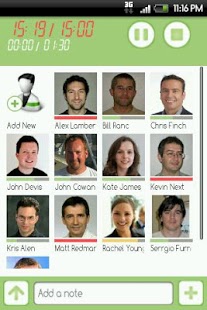
The application will help Scrum Masters at daily Scrums to gather impediments and help team members stay focused, restrict the meeting duration to 15 minutes. Every meeting is immediately followed by a scrum report with all the collected issues and meeting details to show who was too talkative.
Features
- Meeting duration timer and timer for every participant to keep everyone focused on agenda
- Participant details, photo can be imported from Phone Contacts. Contacts can be synchronized with Google contacts
- A photo can be also captured using a phone camera or taken from a picture gallery
- Collected Action items, issues can be shared via Google Docs or sent as Excel report to e-mail
Key words SEO: Agile tool, Scrums, Daily Scrum, Standup, Scrum Master, Meetings, Meeting Notes, Meeting Minutes
https://twitter.com/EANteam
http://www.facebook.com/scrum.master.7
About Scrum Master Assistant
The company that develops Scrum Master Assistant is EAN. The latest version released by its developer is 1.3.3. This app was rated by 1 users of our site and has an average rating of 4.0.
To install Scrum Master Assistant on your Android device, just click the green Continue To App button above to start the installation process. The app is listed on our website since 2013-04-22 and was downloaded 33 times. We have already checked if the download link is safe, however for your own protection we recommend that you scan the downloaded app with your antivirus. Your antivirus may detect the Scrum Master Assistant as malware as malware if the download link to com.ean.scrumtimer is broken.
How to install Scrum Master Assistant on your Android device:
- Click on the Continue To App button on our website. This will redirect you to Google Play.
- Once the Scrum Master Assistant is shown in the Google Play listing of your Android device, you can start its download and installation. Tap on the Install button located below the search bar and to the right of the app icon.
- A pop-up window with the permissions required by Scrum Master Assistant will be shown. Click on Accept to continue the process.
- Scrum Master Assistant will be downloaded onto your device, displaying a progress. Once the download completes, the installation will start and you'll get a notification after the installation is finished.
Program Details
System requirements
Download information
Pricing
Version History
version 1.3.3
posted on 2013-04-22
1.3.3,- Fixed few defects,- Removed unnecessary user permissions,1.3.1,- No Ads,- Collected Action items, issues can be shared via Google Docs,- Themes,1.2.3,- Unlimited number of participants,- New filtering/grouping/searching features,- Zoom levels for tablets
version 1.3.3
posted on 2013-04-22
Several fixes and updates
